


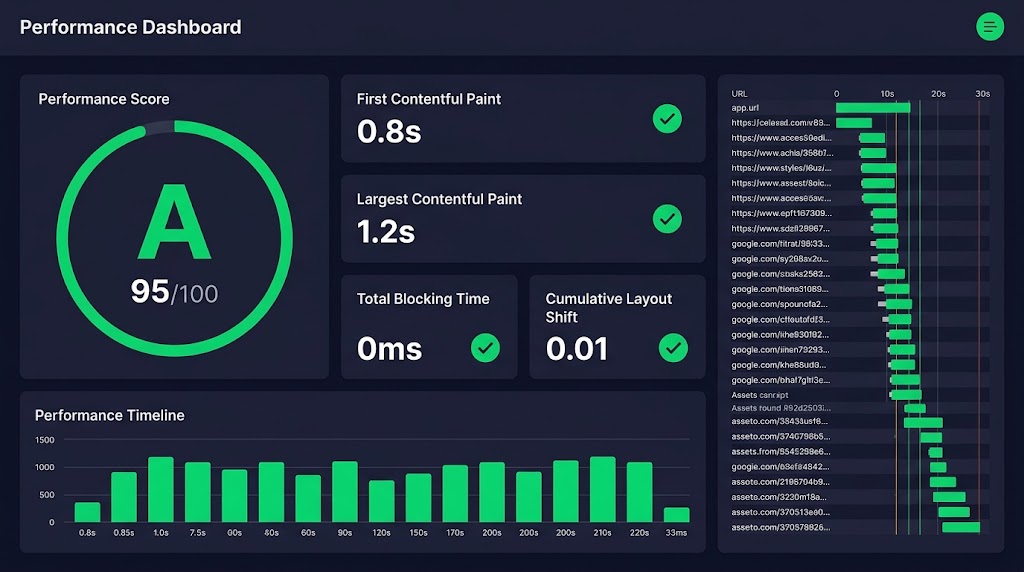
Every second counts. Here are five performance tweaks that will improve your WordPress site’s speed and save you hours in maintenance.
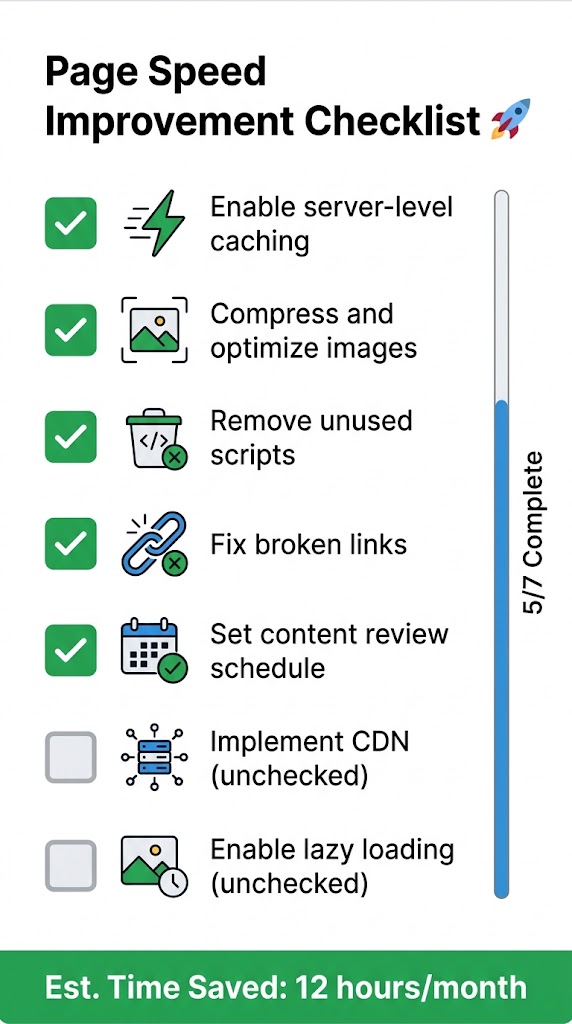
🚀 1. Implement Server-Level Caching
“Performance tuning includes optimizing images, using caching tools, reducing unused scripts, and other optimizations targeting Core Web Vitals.”
Why It Matters
- Page caching reduces server load
- Cached pages load instantly
- Better Core Web Vitals scores
Implementation
- Choose a caching plugin:
- WP Rocket (premium, easiest)
- W3 Total Cache (free, complex)
- LiteSpeed Cache (free, if using LiteSpeed server)
- Enable object caching:
- Redis or Memcached (requires server support)
- Quick win: Install the WP Redis plugin
- Leverage a CDN:
- Cloudflare (free tier available)
- Fastly
- KeyCDN
🖼️ 2. Optimize Images Automatically
“Optimize images for the web (reduce file sizes for images above 600KB).”
Best Practices
- Compress on upload: Use plugins like Smush or Imagify
- Serve WebP format: Modern browsers support WebP
- Lazy load images: Load images only when visible
- Use proper sizes: Don’t upload 3000px images for a 300px space
Code Snippet
// Add WebP support
function add_webp_mime_type($mimes) {
    $mimes['webp'] = 'image/webp';
    return $mimes;
}
add_filter('upload_mimes', 'add_webp_mime_type');

// Enable lazy load
function add_lazy_load() {
    add_filter('wp_lazy_loading_enabled', '__return_true');
}
add_action('init', 'add_lazy_load');Code language: PHP (php)
📦 3. Reduce Unused Scripts
“Reducing unused scripts and other optimizations targeting Core Web Vitals.”
How to Identify Unused Scripts
- Use the Coverage tab: Chrome DevTools → Coverage
- Identify heavy dependencies: Check what’s loading on each page
- Remove unnecessary code: Blocks, widgets, plugins on specific pages
Implementation
// Only load jQuery on pages that need it
add_action('wp_enqueue_scripts', function() {
    if (!is_single() && !is_page()) {
        wp_deregister_script('jquery');
    }
}, 100);Code language: JavaScript (javascript)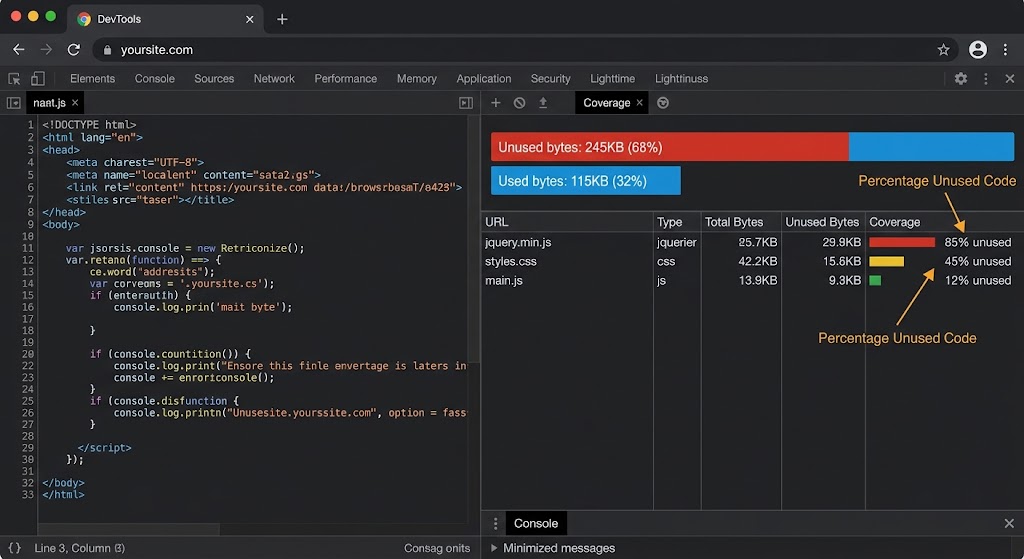
🔍 4. Fix Broken Links
“Review content regularly, update information, links, and meta descriptions.”
Why It Matters
- Broken links frustrate users
- Create poor user experience
- Damage SEO rankings
Tools
- Broken Link Checker (plugin)
- Screaming Frog SEO Spider (external tool)
- Google Search Console
Quick Fix
-- Find and fix broken URL patterns in posts
UPDATE wp_posts
SET post_content = REPLACE(
    post_content,
    'http://oldsite.com',
    'http://newsite.com'
)
WHERE post_content LIKE '%http://oldsite.com%';Code language: JavaScript (javascript)
🕒 5. Implement a Content Review Schedule
“Set a schedule to review content every 3–6 months. Update information, links, and meta descriptions. Even small updates can give your post a nice boost in rankings.”
Content Review Process
- Identify out-of-date content (Google Analytics, Search Console)
- Update information, links, and meta descriptions
- Combine shorter, similar posts into long, detailed ones
- Add new media (images, videos, tables)
- Improve readability (headings, paragraphs, bullet points)
- Update internal links to new content
- Share updated content on social channels
Example Content Review Workflow
1. Export list of all posts (Google Sheets)
2. Review posts older than 1 year
3. Check traffic (GA) and clicks (GSC)
4. Mark posts for: Update | Leave | Delete
5. Schedule updates (1-2 per week)
6. Track updated posts for traffic changesCode language: PHP (php)
📊 Performance Optimization Schedule
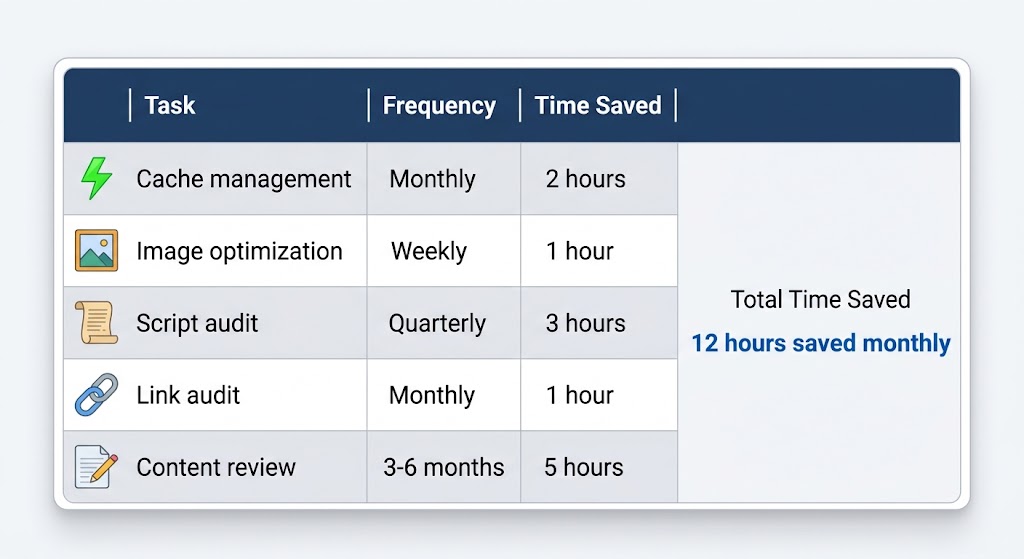
| Task | Frequency | Time Saved |
|---|---|---|
| ⚡ Cache management | Monthly | 2 hours |
| 🖼️ Image optimization | Weekly | 1 hour |
| 📜 Script audit | Quarterly | 3 hours |
| 🔗 Link audit | Monthly | 1 hour |
| 📝 Content review | 3–6 months | 5 hours |
| Total Time Saved | 12 hours saved monthly | |
Implement these five tweaks consistently and your site will load faster, rank better, and cost you far less time in maintenance. Need a hand? The team at Cyber Mickey can audit, optimize, and maintain your WordPress site for you.
Recent Post

WP-CLI: 15 Commands Every WordPress Developer Should Know

10 Essential WordPress Design Plugins for a Modern.

From Figma to WordPress: A Designer’s Handoff Checklist

Accessibility in WordPress Design: Your Ethical and Legal.

