



Your custom code is what makes your WordPress projects unique—and potentially vulnerable. Security best practices aren’t optional; they’re essential. Whether you are building a custom plugin or modifying a theme, understanding how to properly sanitize, validate, and escape data is crucial for protecting your site and your users.
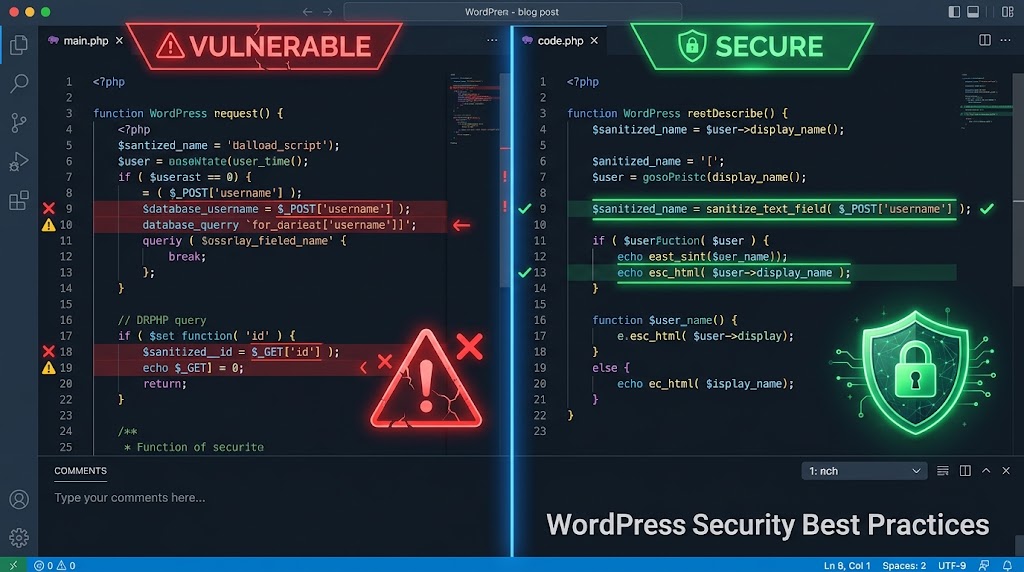
In this guide, we will explore the most common security vulnerabilities in WordPress and how to fix them, ensuring your custom code remains robust and secure.
🔐 Input Validation and Sanitization
The most common WordPress vulnerability is insufficient input validation. Attackers inject malicious code, SQL, or JavaScript through input fields. You must always validate and sanitize any data coming from external sources.
Validate Input
Never trust user input. Always sanitize and escape it before using it in your code or displaying it on the frontend.
// ❌ DON'T - This is unsafe
$username = $_POST['username'];
echo "Hello, $username";

// ✅ DO - Sanitize and escape
$username = sanitize_user($_POST['username']);
echo esc_html("Hello, $username");
Code language: PHP (php)
Common WordPress Sanitization Functions
sanitize_text_field($input);      // For text fields
sanitize_email($input);           // For email addresses
sanitize_url($input);             // For URLs
sanitize_key($input);             // For database keys
absint($input);                   // For numbers (same as intval)
Code language: PHP (php)
🛡️ Nonce Verification
Nonces verify that requests originate from your site and prevent CSRF (Cross-Site Request Forgery) attacks. They are essential for any form submission or URL action that modifies data.
Using Nonces
// Add nonce to forms
wp_nonce_field('my_action', 'my_nonce');

// Verify nonce
if (!wp_verify_nonce($_POST['my_nonce'], 'my_action')) {
    wp_die('Security check failed');
}

// Create URL with nonce
$nonced_url = wp_nonce_url($url, 'my_action');

// Verify URL nonce
if (!wp_verify_nonce($_GET['_wpnonce'], 'my_action')) {
    wp_die('Invalid request');
}
Code language: PHP (php)
🔑 Capability Checks
Always check user capabilities before performing sensitive actions. This prevents unauthorized users from executing actions they shouldn’t have access to.
// ❌ DON'T - Not checking permissions
delete_post($_POST['post_id']);

// ✅ DO - Check before action
if (!current_user_can('delete_post', $post_id)) {
    wp_die('You do not have permission to delete this post');
}
delete_post($post_id);

// ✅ OR check multiple capabilities
if (!current_user_can('edit_posts') || !current_user_can('manage_options')) {
    wp_redirect(admin_url('admin.php?page=no-access'));
    exit;
}
Code language: PHP (php)
Common Capabilities
manage_options– Admin dashboardedit_posts– Edit postspublish_posts– Publish postsdelete_posts– Delete postsupload_files– Upload filesinstall_plugins– Install plugins
🔍 SQL Injection Prevention
Always use $wpdb methods with placeholders—never concatenate SQL. Directly inserting variables into SQL queries is one of the most dangerous vulnerabilities.
// ❌ DON'T - SQL injection risk
global $wpdb;
$id = $_GET['id'];
$result = $wpdb->get_results("SELECT * FROM wp_posts WHERE ID = $id");

// ✅ DO - Use prepare
global $wpdb;
$id = intval($_GET['id']); // Sanitize first
$result = $wpdb->get_results(
    $wpdb->prepare("SELECT * FROM wp_posts WHERE ID = %d", $id)
);

// ✅ For multiple parameters
$table = $wpdb->prefix . 'my_table';
$name = sanitize_text_field($_POST['name']);
$email = sanitize_email($_POST['email']);
$result = $wpdb->get_results(
    $wpdb->prepare(
        "SELECT * FROM $table WHERE name = %s AND email = %s",
        $name, $email
    )
);
Code language: PHP (php)
Using placeholders in $wpdb
%s– String (with quotes)%d– Integer%f– Float%%– Literal percent sign
🌐 Cross-Site Scripting (XSS) Protection
Never output raw data from user input. Always escape. XSS attacks occur when malicious scripts are injected into web pages viewed by other users.
// ❌ DON'T - XSS risk
echo get_post_meta($post_id, 'user_field', true);

// ✅ DO - Escape when outputting
echo esc_html(get_post_meta($post_id, 'user_field', true));

// ✅ For HTML attributes
echo esc_attr($value);

// ✅ For URLs in attributes
echo esc_url($url);

// ✅ For JavaScript
echo esc_js($value);

// ✅ For HTML that must include markup
echo wp_kses($html, array(
    'p' => array(),
    'a' => array('href' => array(), 'title' => array()),
    'strong' => array(),
    'em' => array(),
));
Code language: PHP (php)
🗃️ User Role Management
Implement the principle of least privilege. Users should only have the permissions they need to perform their tasks.
// ❌ DON'T - Giving admin role unnecessarily
wp_set_current_user($user_id);
add_role('customer', 'Customer', array('read' => true));

// ✅ DO - Define custom capabilities
$capabilities = array(
    'read' => true,
    'edit_posts' => false,
    'delete_posts' => false,
    'manage_options' => false,
);
add_role('customer', 'Customer', $capabilities);

// ✅ Audit role assignments
function cybermickey_audit_user_roles() {
    $users = get_users();
    foreach ($users as $user) {
        if (in_array('administrator', $user->roles)) {
            // Log admin users
            error_log("Admin user: " . $user->user_email);
        }
    }
}
Code language: PHP (php)
🧪 Security Code Review Checklist
Before deploying any custom code, run through this security checklist to ensure you haven’t missed any critical vulnerabilities.
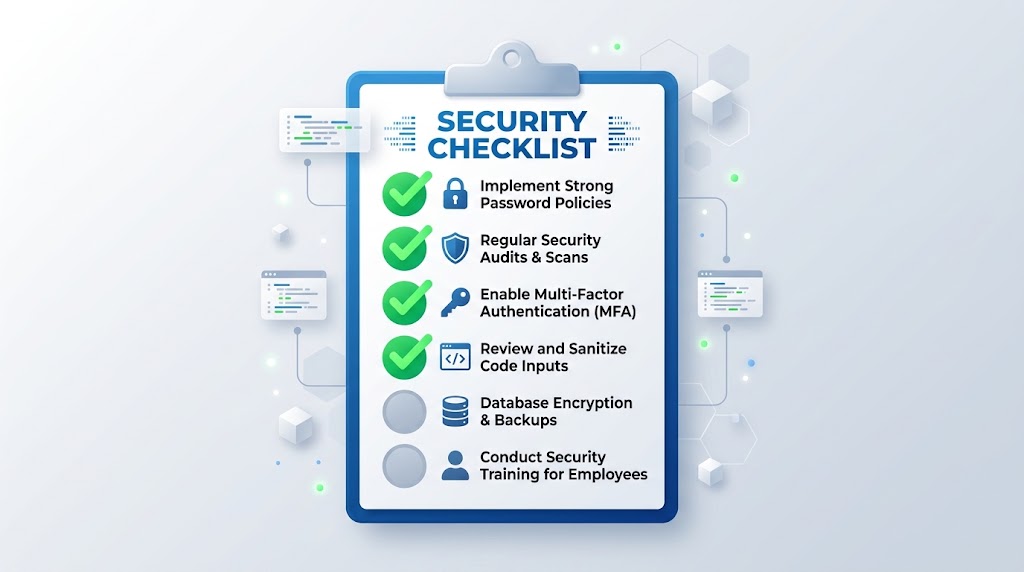
- ☐ All $_GET, $_POST, and $_REQUEST inputs are sanitized
- ☐ All database queries use $wpdb->prepare() or placeholders
- ☐ All outputs to the browser are escaped (esc_html, esc_attr, esc_url)
- ☐ Nonces are used for all forms and URLs with actions
- ☐ Capability checks are performed before sensitive actions
- ☐ File uploads are validated (type, size, extension)
- ☐ User input is validated with WordPress functions
- ☐ Custom SQL uses $wpdb->prefix for table names
- ☐ No hardcoded credentials in code
- ☐ All custom routes restrict access appropriately
- ☐ Error messages don’t reveal sensitive information
- ☐ Custom meta fields are sanitized before storage
📊 Common Security Vulnerabilities
Here is a quick reference table of common vulnerabilities, their impact, and how to prevent them.
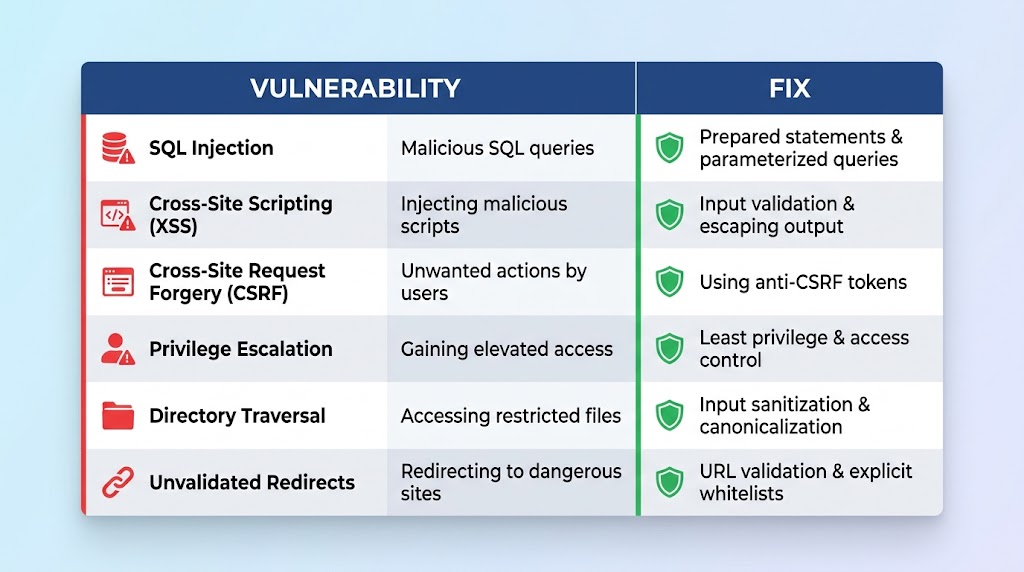
| Vulnerability | Impact | Prevention |
|---|---|---|
| SQL Injection | Database exposure | Use $wpdb->prepare() |
| XSS | Script injection | Escape all outputs |
| CSRF | Unauthorized actions | Nonce verification |
| Privilege Escalation | Unauthorized access | Capability checks |
| Directory Traversal | File system access | Validate file paths |
| Unvalidated Redirects | Phishing attacks | Validate redirect URLs |
By following these best practices, you can significantly reduce the attack surface of your WordPress site and protect it from common exploits. Stay vigilant, keep your code updated, and always prioritize security in your development workflow.
Recent Post

WP-CLI: 15 Commands Every WordPress Developer Should Know

10 Essential WordPress Design Plugins for a Modern.

From Figma to WordPress: A Designer’s Handoff Checklist

Accessibility in WordPress Design: Your Ethical and Legal.

