



Passwords alone aren’t enough to protect your WordPress site. Two-Factor Authentication (2FA) adds an essential layer of security that can prevent 99.9% of account takeover attacks.
🔐 What Is Two-Factor Authentication?
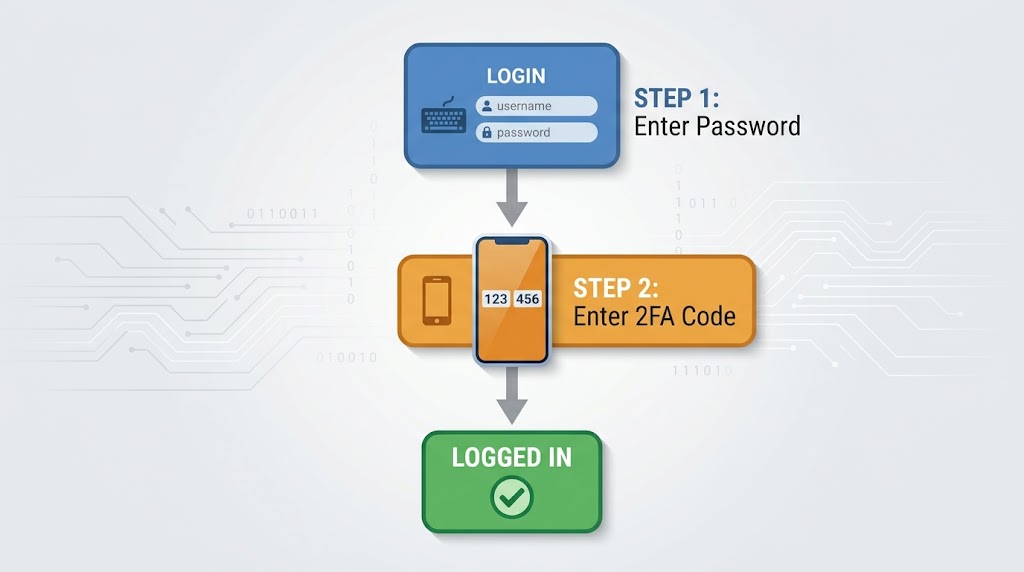
Two-Factor Authentication requires two forms of verification:
- Something you know: Your password
- Something you have: A device that can generate a code
How It Works:
🛡️ Why 2FA Is Essential
“Use unique passwords and a password manager for wp-admin users. Enable 2FA on administrator accounts” .
Common Threats 2FA Prevents:
- Brute Force Attacks: Automated bots trying thousands of passwords
- Credential Stuffing: Using stolen credentials from other breaches
- Phishing: Stolen passwords, but no access to 2FA device
- Social Engineering: Password reset tricks, blocked by 2FA
📱 Types of 2FA for WordPress
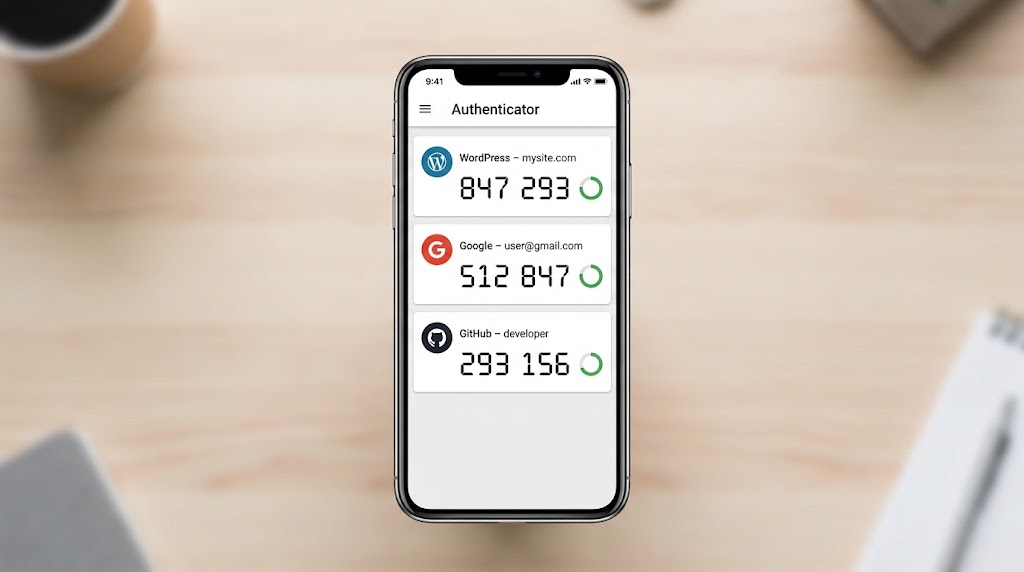
1. Authenticator App (Recommended)
How it works:
- Install Google Authenticator, Microsoft Authenticator, or Authy
- Scan QR code from WordPress site
- Get a 6-digit code that changes every 30 seconds
Best for: Most users, highest security
2. SMS (Less Secure)
How it works:
- Receive a code via text message
- Enter the code on the login page
Drawbacks:
- SMS is vulnerable to SIM swapping attacks
- Unreliable in areas with poor coverage
- Not recommended
3. Email (Moderate Security)
How it works:
- Receive a code via email
- Enter the code on the login page
Drawbacks:
- If email is compromised, 2FA is compromised
- Less secure than authenticator apps
4. Hardware Token (Most Secure)
How it works:
- USB key (YubiKey) that generates codes
- Most secure but requires hardware purchase
Best for: High-security admin accounts
🛠️ Setting Up 2FA in WordPress
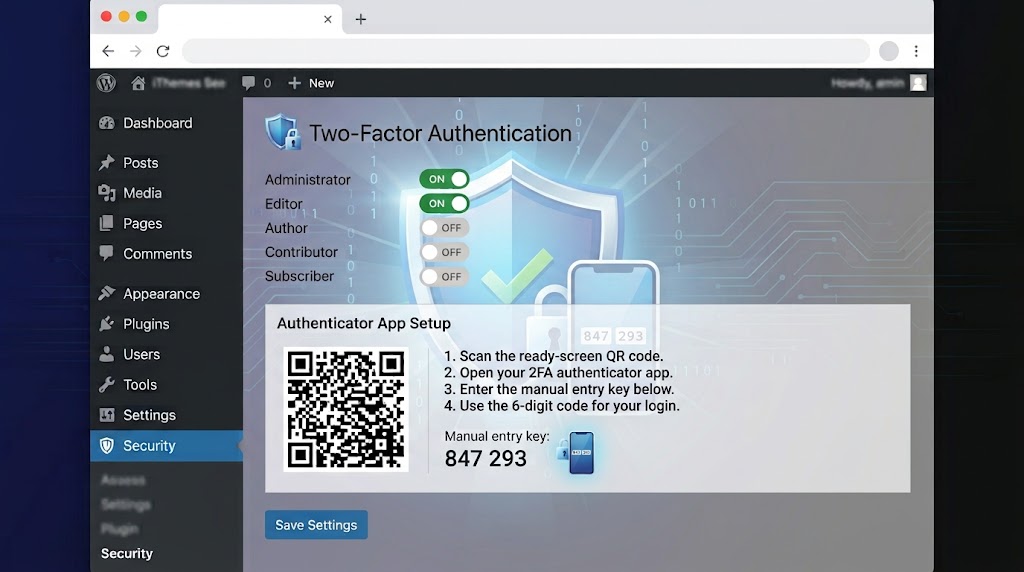
Using iThemes Security (Free):
- Go to Security → Settings
- Scroll to Two-Factor Authentication
- Click “Enable” for the appropriate user roles
- Users will see 2FA setup on their next login
- Scan QR code with authenticator app
- Enter the 6-digit code to verify
Using Wordfence:
- Go to Wordfence → All Options
- Scroll to Login Security
- Enable 2FA for admins
- Configure with authenticator app
Code Implementation:
// Example 2FA check in custom login
function check_2fa_required($user) {
    if (!isset($_POST['2fa_code'])) {
        wp_die('2FA required');
    }

    $secret = get_user_meta($user->ID, '2fa_secret', true);
    $code = $_POST['2fa_code'];

    if (!verify_2fa_code($secret, $code)) {
        wp_die('Invalid 2FA code');
    }
}
add_action('wp_login', 'check_2fa_required', 10, 2);
Code language: PHP (php)
📋 2FA Best Practices
For Site Owners:
- [ ] Enable 2FA for all administrator accounts
- [ ] Enable 2FA for all editor accounts
- [ ] Use authenticator apps (not SMS when possible)
- [ ] Store backup codes in a safe place
- [ ] Test 2FA after enabling
For Agencies:
- [ ] Enforce 2FA for all team accounts
- [ ] Use trusted devices to reduce friction
- [ ] Use Magic Links to prevent legitimate users from being locked out
- [ ] Audit 2FA usage monthly
🔄 Passwordless Logins: The Next Step
“Enable Magic Links to make sure legitimate users don’t get locked out. Turn on Passwordless Logins for privileged users” .
How Passwordless Works:
- User enters email address
- System sends a magic link via email
- User clicks link → automatically logged in
- No password needed
Benefits:
- No password to remember
- No password to be stolen
- Links are one-time use and expire quickly
🎯 2FA for Different User Roles
| User Role | 2FA Requirement | Notes |
|---|---|---|
| Administrator | ✅ Mandatory | Highest security needed |
| Editor | ✅ Mandatory | Can publish content |
| Author | ✅ Recommended | Risk of compromised accounts |
| Contributor | ⚠️ Recommended | Lower risk |
| Subscriber | ❌ Optional | Typically not needed |
Recent Post

September 10, 2026
WP-CLI: 15 Commands Every WordPress Developer Should Know

September 9, 2026
10 Essential WordPress Design Plugins for a Modern.

September 8, 2026
From Figma to WordPress: A Designer’s Handoff Checklist

September 7, 2026
Accessibility in WordPress Design: Your Ethical and Legal.

July 12, 2026
