


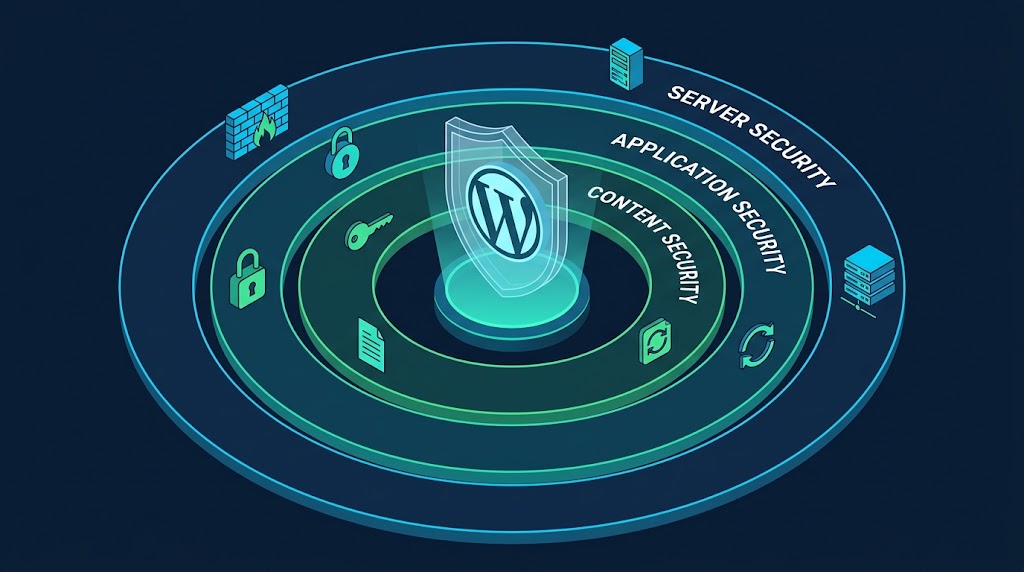
Security is the #1 concern for most website owners—and with good reason. WordPress powers over 40% of the web, making it a prime target for attackers. Here are the top security challenges and how managed hosting helps you address them.
🔐 1. Outdated Plugins and Themes
“WordPress plugins and themes allow you to turbocharge your sites, but they can also pose a threat if not updated. Hackers actively look for vulnerabilities in outdated or sunsetted tools, and once a flaw is uncovered, attacks can follow quickly” .
How to Manage It:
- Enable automatic updates wherever possible
- Regularly review your site to remove plugins or themes you’re no longer using
- Stick with reputable developers with a track record of consistent updates
- Use managed hosting with vulnerability scanning
Our Recommendation:
✅ Enable automatic updates for all plugins
✅ Perform manual updates weekly for critical plugins
✅ Delete unused plugins immediately
✅ Use trusted plugin sources onlyCode language: PHP (php)
🔑 2. Brute Force Login Attempts
“Because WordPress uses predictable login pages, brute force attacks are not uncommon. Automated bots can hammer away at usernames and passwords until they get lucky, or until your server slows to a crawl” .
How to Manage It:
- Enforce strong passwords (12+ characters, mix of letters, numbers, symbols)
- Require Two-Factor Authentication (2FA) on all accounts
- Limit login attempts and block IP addresses after repeated failures
- Change the default /wp-admin login URL to something unique
- Add a Web Application Firewall (WAF)
Implementation:
// Enforce strong passwords
add_action('user_profile_update_errors', function($errors, $update, $user) {
    if (strlen($user->user_pass) < 12) {
        $errors->add('password_strength', 'Password must be at least 12 characters.');
    }
}, 10, 3);

// Add IP block
function cybermickey_block_failed_logins() {
    $failed_logins = get_transient('failed_login_' . $_SERVER['REMOTE_ADDR']);
    if ($failed_logins >= 5) {
        wp_die('Too many failed login attempts. Please try again later.');
    }
}
add_action('wp_login_failed', 'cybermickey_block_failed_logins');Code language: PHP (php)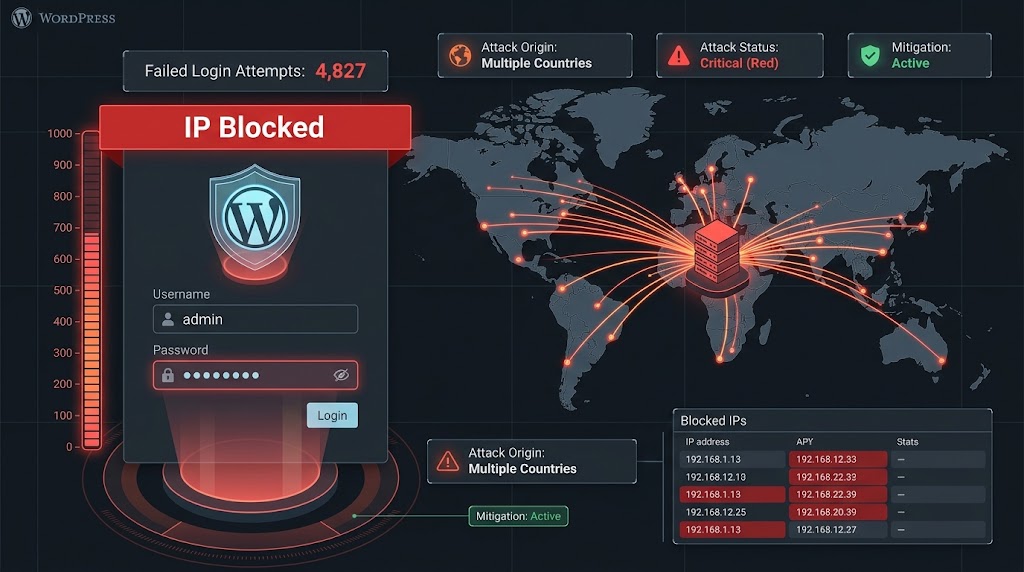
💉 3. Malware Attacks
“If attackers manage to gain entry to your sites, they often install malware or create a hidden backdoor that lets them slip back in later. Malware can redirect visitors, steal sensitive data, flood inboxes with spam, or even land your site on Google’s blacklist” .
How to Manage It:
- Set up regular automated malware scans
- Keep a close eye on file changes
- Layer in firewalls and intrusion detection systems
- Maintain clean backups so you can restore to a safe version
Key Insight: “Managed WordPress hosting plans often come with malware monitoring and cleanup, which is invaluable” .
👥 4. Poor User Role Management
“Many WordPress sites involve multiple contributors, admins, editors, authors, freelancers, and developers. Too often, everyone gets more access than they actually need. That opens the door to mistakes or, in some cases, bad actors” .
How to Manage It:
- Apply the principle of “least privilege”—give each user only the access they need
- Audit accounts regularly and remove any no longer in use
- Use activity logging to see who made which changes
Role Mapping:
| User Role | Permissions |
|---|---|
| Admin | Full access |
| Editor | Edit, publish, delete posts |
| Author | Write and publish own posts |
| Contributor | Write but not publish |
| Subscriber | Read only |
🏢 5. Insecure Hosting Environments
“Not all hosting providers take security seriously. Budget hosts may leave servers exposed to SQL injections, cross-site scripting (XSS), or denial-of-service attacks. On shared hosting, one compromised site can sometimes put others at risk” .
How to Manage It:
- Choose a managed WordPress host that prioritizes security
- Look for essentials like firewalls, SSL certificates, account isolation, and regular server patching
- Consider VPS or dedicated hosting for sensitive data
What to Look For in a Host:
☐ Web Application Firewall (WAF)
☐ SSL certificates (Let's Encrypt included)
☐ Account isolation (not shared server)
☐ Regular server patching
☐ 24/7 security monitoring
☐ DDoS protection
☐ PHP opcode caching
☐ CDN integration
💾 6. Weak Backup and Recovery Plans
“Even the most secure sites can go down, whether from a cyberattack, a failed update, or a hardware issue. No one’s immune to it. Without reliable backups, recovery can be painfully slow or even impossible” .
How to Manage It:
- Schedule automatic daily backups (or more frequently for high-traffic sites)
- Store them in multiple locations—cloud + offline storage
- Test your restores to make sure they work
- Use a host that offers one-click recovery options
Backup Strategy:
Daily: Database backup to cloud storage
Weekly: Full site backup to two cloud locations
Monthly: Complete site backup to offline storage
Quarterly: Test restore process
After major changes: Immediate manual backup
🛡️ Building a More Secure WordPress Experience
“The best protection comes from layers: managed hosting with built-in security, plus smart site-level practices like updates, user management, and backups. When these layers work together, you create a robust defense” .
The Layered Security Model:
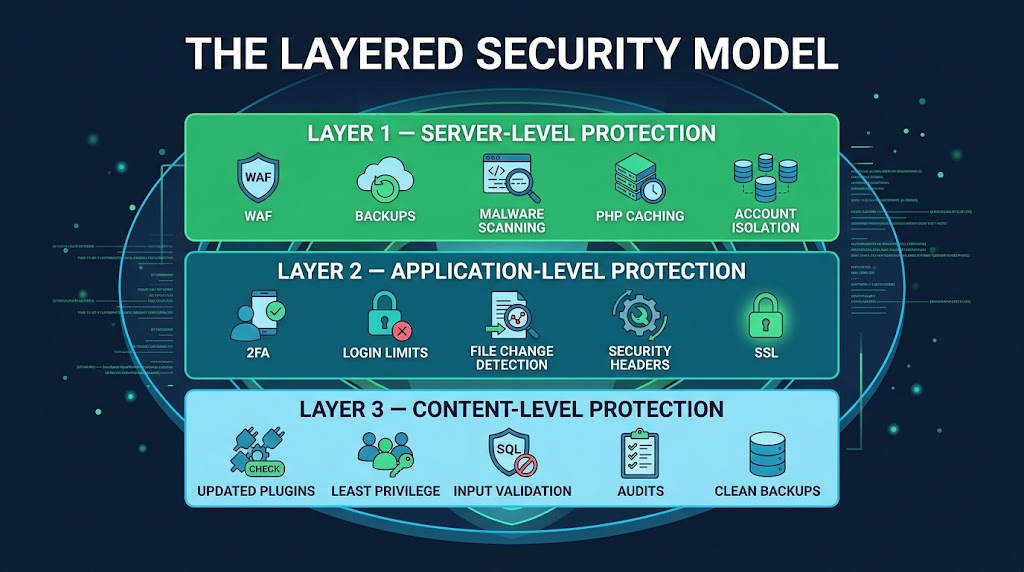
Layer 1: Server-Level Protection (Managed Hosting)
├── WAF (Web Application Firewall)
├── Server-level backups
├── Malware scanning
├── PHP opcode caching
└── Account isolation

Layer 2: Application-Level Protection (Your Site)
├── 2FA and strong passwords
├── Limited login attempts
├── File change detection
├── Security headers
└── SSL certificate

Layer 3: Content-Level Protection (Best Practices)
├── Updated plugins/themes
├── Least privilege user roles
├── Input validation (custom code)
├── Regular security audits
└── Clean, verified backups
Security Plugin Comparison:
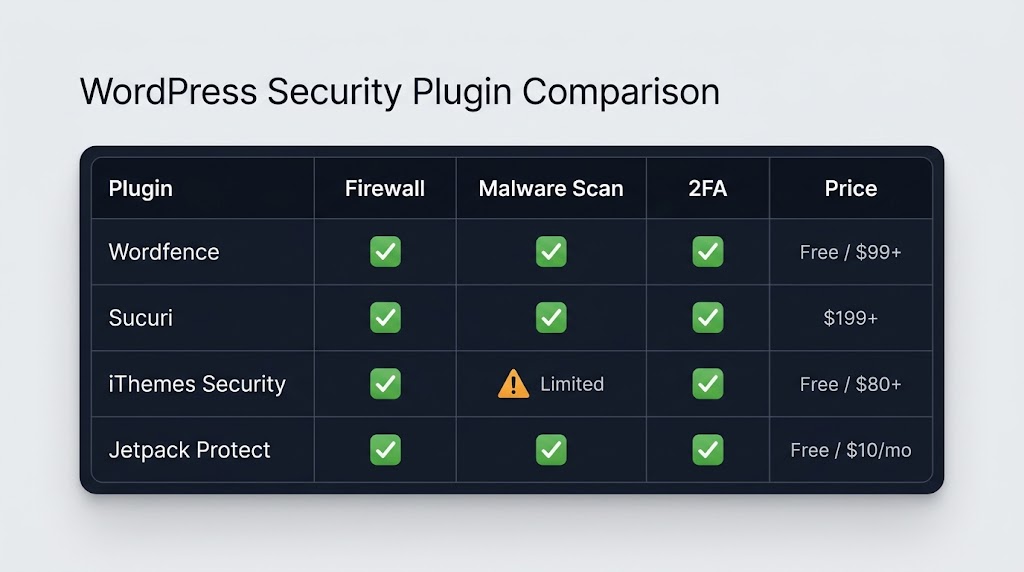
When choosing a security plugin, consider your budget and specific needs. Wordfence and Sucuri offer comprehensive protection, while iThemes Security and Jetpack Protect provide solid free options with premium upgrades.
Recent Post

WP-CLI: 15 Commands Every WordPress Developer Should Know

10 Essential WordPress Design Plugins for a Modern.

From Figma to WordPress: A Designer’s Handoff Checklist

Accessibility in WordPress Design: Your Ethical and Legal.

