
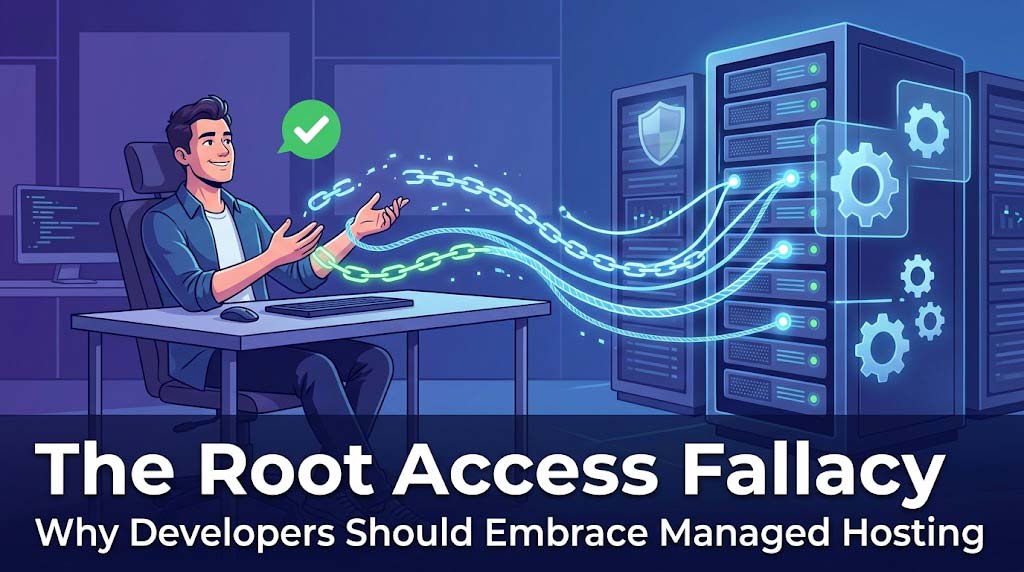
There’s a persistent belief in the developer community that “real developers need root access.” This is a fallacy that’s costing agencies time, money, and sanity.
🤔 The Misconception
“Real developers need root access. Managed hosting restricts us, so we’re better off spinning up our own VPS on DigitalOcean or AWS.”
This statement sounds logical, but it’s fundamentally flawed.
🎯 Why This is a Fallacy
1. Access vs. Capability
“Agencies often confuse access with capability. While having root access feels like freedom, it actually shackles your most expensive talent to low-value maintenance tasks.”
The Reality:
- Root access means you can configure everything
- It also means you must configure everything
- Every hour configuring Nginx is an hour not building features for clients
The Math:
Agency Developer Rate: $150/hour
Time spent on server management: 10 hours/month
Monthly cost: $1,500

Managed Hosting Premium: $500/month
Time spent on server management: 2 hours/month (monitoring)
Monthly cost: $800/month

Savings: $700/month + reduced liability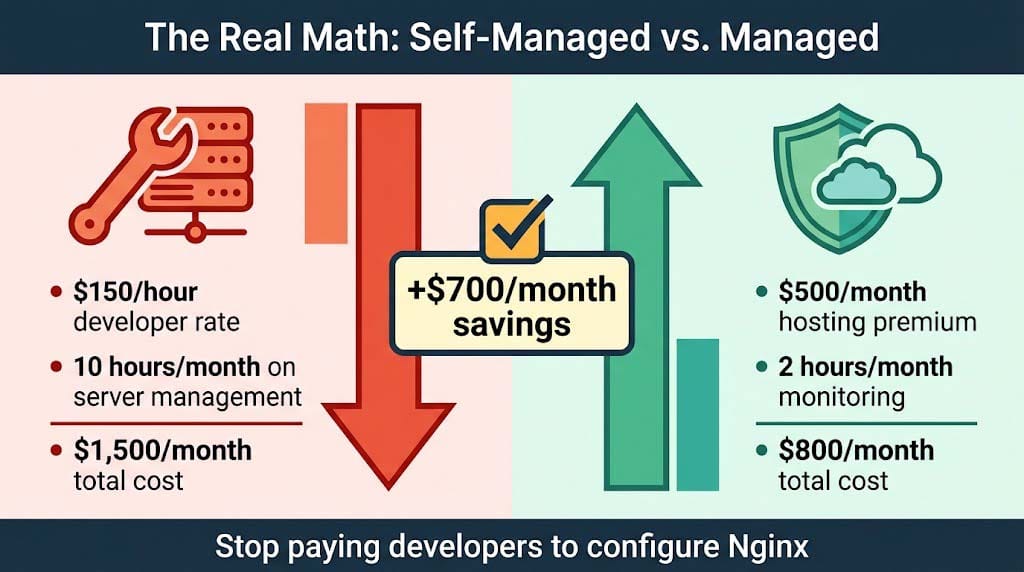
2. DevOps as a Service
“Premium managed hosting does not remove your control; it abstracts complexity. True enterprise-grade managed platforms provide Developer Operations (DevOps) as a Service.”
What You Actually Get With Managed Hosting:
- Git integration
- SSH access
- WP-CLI
- One-click staging environments
- Automatic scaling
- Zero configuration server updates
What You Don’t Have to Worry About:
- OS-level vulnerabilities
- PHP-FPM worker configuration
- Nginx/Apache configuration optimization
- MySQL server performance tuning
- Server security patching
3. The Insurance vs. Assurance Distinction
“Relying on application-level plugins for security and backups is inefficient. It forces the application to run scripts for those functions, which slow down performance. True managed hosting moves these critical functions to the server level.”
| Factor | Self-Managed Server | Managed Hosting |
|---|---|---|
| Security | Plugin-based (slows site) | Server-level (no performance hit) |
| Backups | Plugin-based (resource intensive) | Server-level (instant, incremental) |
| Monitoring | Manual | 24/7 automated |
| Patches | Manual (you forget) | Automatic |
| Response | You fix it | You’re notified, they often fix it |
🏆 What Top-Tier Hosting Provides
Managed hosting isn’t about hand-holding beginners. It’s a performance asset for professionals.
True Managed Hosting Provides:
- Elasticity: Automatic scaling during traffic spikes
- Expert Support: Engineers, not script-readers
- Optimization: Server-tuned for your specific WordPress configuration
- Security: WAF, DDoS protection, automatic patching
- Performance: Redis/Varnish caching, CDN integration
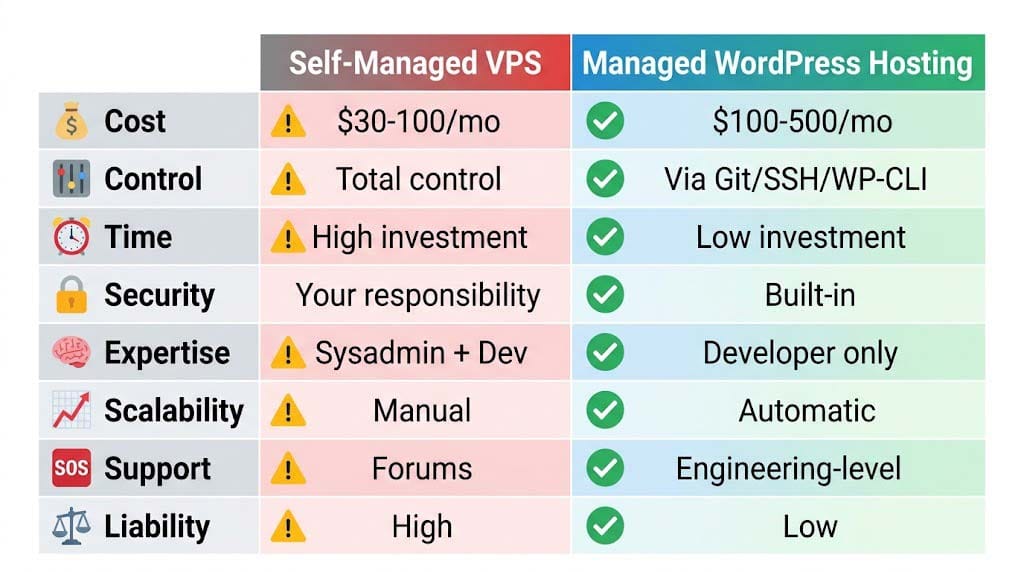
📊 The Decision Matrix
| Consideration | Self-Managed VPS | Managed WordPress Hosting |
|---|---|---|
| Cost | $30–100/month | $100–500/month |
| Control | Total control | Controlled via Git/SSH/WP-CLI |
| Time Investment | High | Low |
| Security | Your responsibility | Built-in |
| Expertise Required | System admin + developer | Developer only |
| Scalability | Manual scaling | Automatic scaling |
| Support | Community/forums | Engineering-level |
| Liability | High | Low |
🚀 The Best of Both Worlds
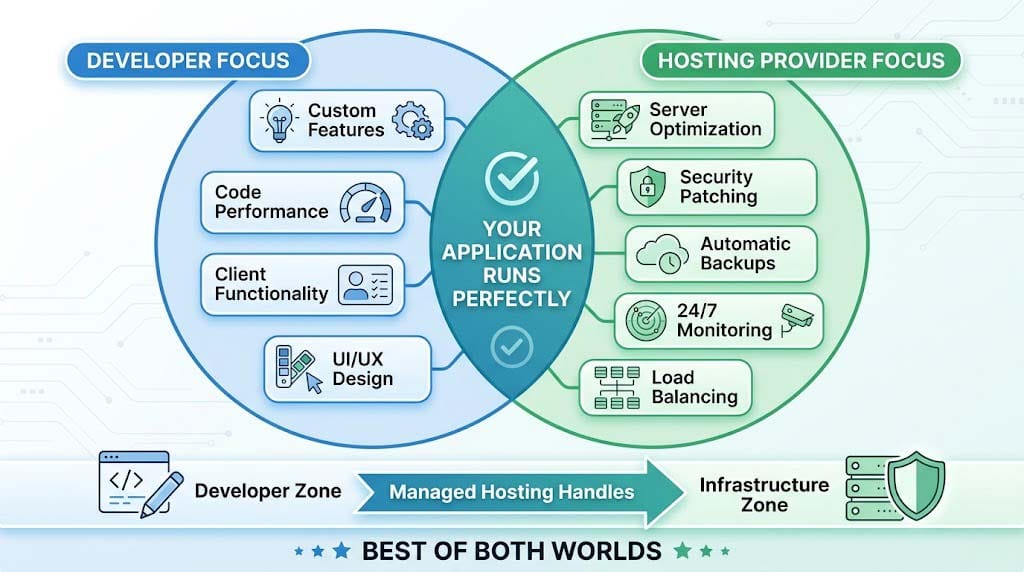
The ideal approach is to use managed hosting for the infrastructure layer while maintaining full control over the application layer.
Your Focus as a Developer:
- Building custom features
- Optimizing code performance
- Implementing client-specific functionality
- Creating beautiful designs
The Hosting Provider’s Focus:
- Server optimization
- Security patching
- Automatic backups
- 24/7 monitoring
- Load balancing
Recent Post

WP-CLI: 15 Commands Every WordPress Developer Should Know

10 Essential WordPress Design Plugins for a Modern.

From Figma to WordPress: A Designer’s Handoff Checklist

Accessibility in WordPress Design: Your Ethical and Legal.